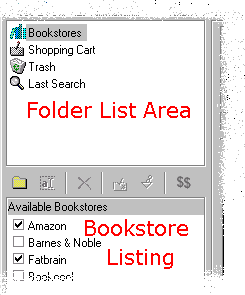
 To select the bookstores you want searched, click on Bookstores in the Folder List Area. Then check the bookstores you want searched in the Bookstore Listing.
To select the bookstores you want searched, click on Bookstores in the Folder List Area. Then check the bookstores you want searched in the Bookstore Listing.
Each bookstore that is checked on the list of bookstores will be searched the next time you enter the keywords to search and click on the Search button to the right of the Keyword(s) area.
Click on "Last Search" in the Folder List area to show the results of your latest search.